
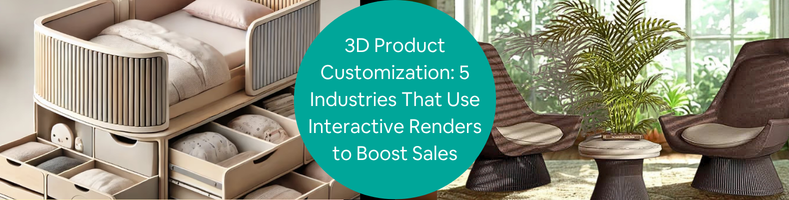
An implementation of 3D visualization technology, an interactive render is a real-time application (based on WebGL, Unreal Engine, Unity, and the like) that enables users to not only see lifelike digital visualization of an object but also modify it with just a few clicks of a button. At the back end of an interactive render platform, usually a webpage, there are all sorts of complex technologies linked to a collection of 2D and 3D assets inside a database. But for a typical user sitting at the front end, it looks like a simple website page with lots of options to customize an object. And one of the most common uses of this interactive render is, you’ve probably guessed it already, 3D product configurators seen on e-commerce sites.
A product configurator allows buyers to personalize or modify (to an extent) a product by selecting different parts or components, dimensions, colors, shapes, textures, patterns, materials, and so forth. Think of it as a bridge between the sophistication of photorealistic renderings and the everyday online shopping experience. In a B2B environment, it’s also often used by companies to tinker with product designs before manufacturing. The ability to visualize and customize an object in an interactive manner on a webpage is expected to streamline the product selection process without the lengthy back-and-forth of the sales cycle.
Cad Crowd connects companies with experienced 3D design artists, CAD designers, visualization specialists, and software developers who can create photorealistic product configurators tailored to specific business needs. From high-quality 3D assets to interactive rendering and e-commerce integration, our experts help businesses deliver engaging customization experiences that support higher conversions and stronger customer confidence.
RELATED: Product Rendering and 3D Visualization – A Full Overview
🚀 Table of contents
How it works
It’s all about personalization. Instead of forcing buyers to choose a product variant from an assortment of pre-configured designs, a configurator offers greater freedom to build an entirely custom version. Sometimes, a company gives an option to add personalized texts or illustrations to make the product a true one of a kind. Mind you that in most B2C configurators, the customizations are limited to superficial details (like colors and graphic arts). They rarely, if ever, go into the more technical aspects of a product like materials or shapes. The only thing you’re allowed to customize is the appearance of parts or components; once you’re pleased with the customization and place an order, the seller will then assemble them to build the product you want.
There’s always an exception to the norm, however. Take, for example, a 3D product configurator designer for a car. Say the stock version of the car you want comes with vinyl seat covers, but you’d like to have leather upholstery. Perhaps you want a larger wheel diameter, a high-end audio system, carbon-ceramic brakes, and a spoiler too. Such options go beyond aesthetics and lean heavily towards the actual features, and in this case, product performance.
A configurator used in the context of product development is likely much more comprehensive. It has all the usual customization options seen on the B2C alternative, added with a few technical aspects such as manufacturing feasibility and time. It might even automatically generate a BOM (bill of materials), production cost per unit, suppliers’ details, and assembly information. It’s almost like virtual prototyping, or digital twins, where you create a 3D model identical to the manufactured product.
RELATED: How To Visualize Consumer Products Using 3D Rendering Services For Your Company and Firm
What you see is what you get
The most important elements of a product configurator (apart from the rendering application, such as WebGL, which is integrated with web standards including various e-commerce platforms) are, of course, the 3D assets. Details and photorealism matter. You can build a fully functional product configurator with low-resolution 3D assets, but it won’t be as pleasant to use. The idea behind a configurator is to display an accurate representation of the product as a rendered 3D model design services. It’s supposed to be a WYSIWYG (What You See Is What You Get) approach to product customization, which means everything the buyers see must be as identical to the actual product as possible. In short, a 3D product configurator has to display lifelike renderings of the product.
There’s an argument to be made about lower-resolution 3D assets allowing the webpage (and the rendering) to load faster, but that hasn’t been relevant for years. Content optimization has taken care of the issue really well; even low-end hardware can handle a 3D product configurator glitch-free. The 3D file format plays a huge role. Industry-standard formats like FBX, OBJ, GLB, and USDZ are the most widely used because they’re indeed built to maintain a good balance between performance and visual quality across different platforms (various web browsers on mobile and desktop devices).
The other crucial element is the product configuration logic itself. In this case, logic refers to a set of rules that govern what parts or components are customizable and how they interact with each other in the configurator. Proper logic is important to prevent users from customizing a product with incompatible components or choosing unavailable design options. These rules make sure the configurator can only offer accurate customization options with no errors.
RELATED: 3D Product Visualization: Elevating Your Online Shopping Experience and Service for Modern Consumers
All the 3D assets and the logic that control them are integrated into the e-commerce platforms (like Shopify, Magento, and WooCommerce, to name a few) for synchronization purposes. They’re linked to a database that points to inventory, pricing, product options, order data, and other information to ensure operational efficiency and a seamless transactional process.
Configurator features
Consistency is key. Like everything based on a web that’s constantly updated, a 3D product configurator needs a good back-end foundation to maintain consistency across every function and feature. It makes little sense to build a configurator that only intermittently works. Your customers expect to enhance their online shopping experience with a configurator, not get frustrated by something that’s supposed to help them to begin with.
The thing is, a 3D product configurator isn’t exactly easy to build and configure. It’s not one of those small-sized browser extensions you can just install and forget. Quite the contrary, it involves a lot of work to prepare and requires at least some reasonable engineering resources. Just the basic prerequisites alone, namely the 3D assets, are already pretty complex stuff.
RELATED: How Is 3D Product Rendering and Visualization Used by Manufacturers and Retailers?
Say your product is a retractable ballpoint pen. It’s nothing too fancy, but you give the option for buyers to mix and match parts to build their own variant. A ballpoint pen is simple enough, but still it’s made up of a number of parts including a pocket clip, barrel, removable barrel tip, ink chamber and ballpoint tip, plunger, rubber grip, and perhaps some purely decorative objects on the body.
Every single part comes in a variety of colors to let buyers explore different styles and aesthetics. Some of the more expensive variants have stainless steel barrels and pocket clips. As an option, the retractable pen can be made as either a click or a twist pen. And to make it easier for buyers to build a custom pen, you plan to use a 3D product configurator on your online store. This means you need to have all the parts 3D modeled and all their variations rendered.
Aren’t 3D modeling and rendering easy? Well, it entirely depends on skill level and understanding of interactive rendering. For professionals, creating 3D visualizations services and setting up a product configurator for a retractable pen should be pretty manageable, to say the least. For anybody else, perhaps not so much.
RELATED: Virtual Product Visualization: Benefits, Challenges & Future Trends at 3D Rendering Firms
While we can’t speak for all digital artists out there, we can assure you that the professionals at Cad Crowd are the insightful bunch who know exactly what they’re doing when it comes to 3D renderings and product configurators. Cad Crowd has been a major freelancing hub where clients, from small businesses to established brands, collaborate with some of the most talented 3D modelers and render artists from all around the world. When you hire from Cad Crowd, you can expect to have your 3D product configurator loaded with “at least” the following key features:
- Real-time rendering: starting with the obvious one, a 3D product configurator can’t afford to have real-time rendering capabilities. In fact, the hallmark of a configurator is near-instant visualization. As buyers adjust their selection of colors, patterns, graphic arts, materials, or parts, they should be able to see the final product immediately, without lag or (worse) page reload. What’s the point of providing a 3D product configurator if it only makes the shopping experience terrible? A slow and unresponsive configurator can in fact get in the way of the buyers’ selection process, leading to cart abandonment.
- 360-degree visualization: well, it isn’t really 3D without a 360-degree visualization design firms, is it? Buyers need to inspect the product they choose from every angle. They want to zoom in and out, and rotate the model without losing details. The transition should be smooth, and every side is displayed in high resolution to guarantee an immersive experience. In general, a 360-degree visualization allows buyers to understand their selection better and make an informed decision.
RELATED: How 3D Product Design, Rendering, and Animation Services Can Benefit Companies and Increase Sales
- User-friendly interface: your product configurator might be sophisticated, the 3D assets crisp and detailed, and 360-rotation buttery-smooth, but they can only do so much to improve the shopping experience if buyers can’t seem to get a good grasp on how to use it. While a product configurator is arguably a complex tool (with all the technical elements running in the background), it doesn’t mean you can’t build a straightforward user interface in the foreground. You want the customers to enjoy a pleasant experience choosing and customizing a product to their personal preferences. And you can make that happen by providing an intuitive product configurator. Give the interface clear navigation, responsive buttons, zero loading time, and organized customization options wrapped in a comfortable layout. Keep the options plenty, but minimize the effort to access them.
- Save and share functions: part of user-interface features, the ability to save an already customized product configuration is quite a big deal, especially for buyers who like to take their time making a selection. The next time they make another visit, they can just pick up where they left off instead of starting from scratch. A “share” option is also a popular function, allowing buyers to collaborate with friends and families on social websites.
- Cross-platform compatibility: everybody is buying things online from their smartphones, right? Wrong. Many of them are “only” using phones to do their shopping indeed, but there are still a lot of people who prefer their computers and laptops, partly because of the bigger screen. The good thing is that you don’t have to choose which group you should favor more. You’re allowed to cater to both in one fell swoop, so long as the 3D product configurator is compatible with various screen sizes and platforms. The digital artists at Cad Crowd have been building responsive designs for years; they definitely know a thing or two about cross-platform compatibility and have the technical know-how to optimize a 3D product configurator for modern devices. Whether the buyers access your e-commerce site via mobile devices or computers, the configurator delivers a consistent experience.
RELATED: Why 3D Rendering Lighting is Crucial for Flawless Product and Architectural Visualization Companies
- Dynamic pricing: for the vast majority of buyers everywhere, price remains one of the most important considerations when purchasing any product. People expect to get the most out of what they spend, and are willing to go the extra mile to find a good balance between value and money. A lot of buyers start with either the most or the least expensive configurations, and work their way from there. When using a 3D product configurator, they should be able to see how any particular customization affects the price. Suppose a stock configuration of a retractable twist ballpoint pen costs $5. When a buyer replaces the stock plastic barrel with a brushed aluminum one, the price increases to $10 a piece. The price information has to update instantly with every customization for the best user experience.
Another important feature that the user will never see but is crucial for the seller is easy maintenance. It has everything to do with databases, API access, rule-based logic, and more jargon, but you might not want to deal with that technical stuff. What you need is an intuitive control panel where you can manage everything through an easy-to-use interface, maybe even with a simple drag-and-drop mode. It’s no coincidence that Cad Crowd has just the right people to handle not only the 3D rendering services, but also to build a user-friendly dashboard everybody can understand and master in no time.
Estimated cost of 3D product configurator development
| Service | Typical Cost (USD) | Description |
|---|---|---|
| 3D product modeling | $300–$2,000 per product | Creates accurate, optimized 3D models for use in interactive product configurators. |
| Photorealistic product rendering | $200–$1,000 per image | Produces high-quality product visuals for configurators, catalogs, and marketing materials. |
| Interactive 3D product configurator development | $3,000–$20,000+ | Develops browser-based configurators with real-time product customization and visualization features. |
| WebGL or Three.js development | $2,000–$15,000 | Builds real-time interactive 3D experiences using WebGL, Three.js, or similar web technologies. |
| Unity or unreal engine configurator | $5,000–$30,000+ | Creates advanced interactive configurators with high-end graphics, animations, and immersive experiences. |
| E-commerce platform integration | $1,000–$8,000 | Integrates configurators with Shopify, WooCommerce, Magento, pricing systems, inventory, and checkout workflows. |
| Product configuration logic | $1,500–$10,000 | Develops customization rules, compatibility logic, dynamic pricing, BOM generation, and product validation. |
| 360-degree product viewer | $500–$3,000 | Enables customers to rotate, zoom, and inspect products from every angle in real time. |
| Augmented reality (AR) product visualization | $3,000–$15,000 | Adds augmented reality features that allow customers to preview products in real-world environments. |
| Ongoing maintenance and updates | $100–$1,000 per month | Provides software updates, new product variants, bug fixes, performance improvements, and technical support. |
Interactive renders in businesses
More than just a stunning visual on e-commerce sites, an interactive render in the form of a product configurator does offer a true practical benefit of increasing buyer engagement and boosting sales. An interactive online shopping experience through easy product customization turns out to be an effective tool to convert visitors into paying customers. 3D product configurators are famously used by the following industries.
RELATED: What Types of 3D Rendering Services Do Product Design Pros & Industrial Design Firms Offer?
Home furnishing
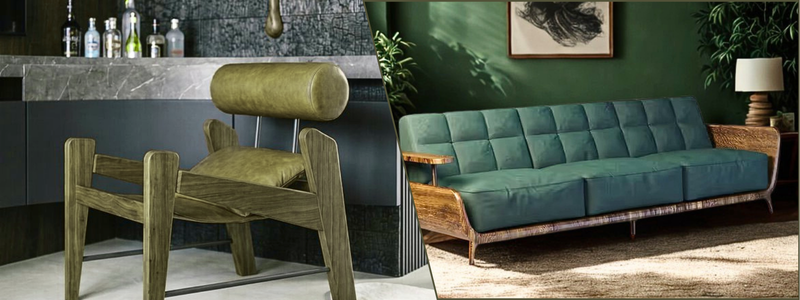
Let’s start with probably the most common of them all: the home furnishing industry. Everybody likes and wants to have custom furniture design services. The thing is, a true bespoke carpentry isn’t cheap. That being said, there’s still room for buyers to have a taste of that tailor-made furniture without breaking the bank. A fine case in point: the IKEA Product Planner. Even when the (assembled) product is actually made up of mass-manufactured parts and components, at least some degree of customization can go a long way to liven up the room and personalize the atmosphere.
We’re pleased to report that the IKEA Product Planner has just about every feature buyers need from a 3D product configurator. It comes with an intuitive user interface, dynamic pricing, and save and share options. Take the desk configurator, for example; it has three component categories, including desktop, left support, and right support, with each category offering a multitude of styles, colors, and materials.
Every single change in a component gets displayed on the main product image with instant real-time rendering and updates the price information. The same thing applies to other products such as dining chairs, storage, and even entire rooms. IKEA isn’t the only home furnishing company using a product configurator. Herman Miller also famously offers an even more comprehensive version of it with AR capability to boot.
RELATED: Top 51 3D Product Rendering Design & Best 3D Visualization Services Companies in the US
Motor vehicles
Major carmakers like BMW, Porsche, Mercedes-Benz, and Tesla, among others, have their own versions of product configurators with varying qualities and rendering speed. People seem to believe that the automotive industry is among the big leagues of 3D product configurators. It might be true in terms of scale, visual quality, and the range of options provided, but they rarely give buyers a smooth customizing experience.
Try any of them once on a computer, and don’t be surprised if you get the sense that the configurator isn’t likely optimized for all devices. If it’s slow on a computer, chances are it’s even worse on a smartphone. A likely reason is that people aren’t exactly into buying new cars online, meaning carmakers have no real incentives to make the online buying experience better. People want to see, touch, and experience the expensive thing they’re about to buy in person.
Be that as it may, the configurators allow people to at least “test build” a particular model they like. It gives them the opportunity to check the available colors, wheel sizes, interior trims, audio setup, and accessories (spoilers, roof rack, fuel caps, etc.) before visiting the dealership. Does it boost sales then? Not directly, but it certainly gives potential buyers, who aren’t typically inclined to visit dealerships to see the latest models, some sort of an open invitation to browse the cars from the comfort of their couch at home.
RELATED: Top 43 Homeware Design Companies and Services for New Product Design, and 3D Modeling
Footwear industry
Personalization runs deep in the apparel and footwear industry. Your shoes and jackets are parts of your personal expression, but sometimes the off-the-shelf options don’t quite cut it. A trench coat probably has the right color, but you don’t like shoulder straps; it comes with a really nice high-quality waist belt, but the buttons are in the wrong shape; everything is perfect, but the hood seems too much; you get the idea. Wouldn’t it be nice if you could customize every part of clothing and make it exactly as you like? It definitely would, although we’re not quite there yet.
Most configurators in the apparel industry offer very few customization options, perhaps colors and graphic arts, and that’s about it. They’re simple, making it quick and easy to fulfill on the sellers’ part. The problem with complex clothing, such as a trench coat, is that it has a lot of different parts sewn together. If the seller allows the buyers to customize everything, it can take days, if not weeks, to produce the right style. And in the world of the apparel industry, anything slower than a near-instant checkout is too long.
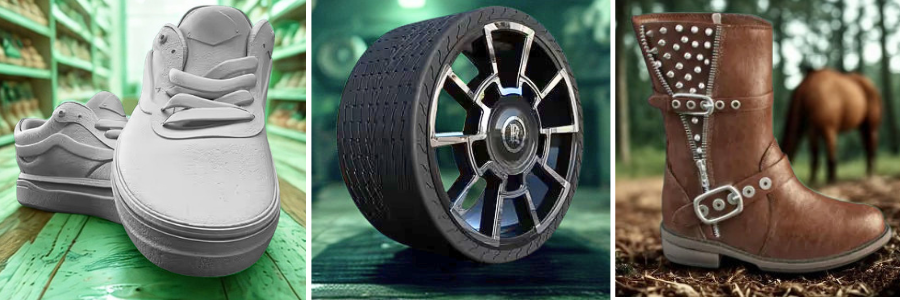
For the footwear industry, however, 3D product configurators thrive. Just take a look at the “Nike By You” customization program. Pick any shoe or jersey from the listing, and you can personalize it to your liking. Again, the customization options for jerseys are pretty basic, as in you can add a name and a number. The options for shoes, on the other hand, are plentiful. Just about every part of the shoe is customizable from the base color/material, the overlay, the backtab, the lining, the cupsole stitch, the lace, and of course the swoosh itself. Depending on the model, you even get to add custom labels. Changes appear in an instant, and you can zoom in and rotate the 3D visualization at any point. Everything feels snappy, smooth, and pleasant to use. Nike By You sets the benchmark for 3D product configurators in the footwear industry. Few alternatives exist, such as Converse By You, Vans Custom Shoes, DiVERGE, and Shoe Zero. All work in more or less the same way.
RELATED: Design Agency vs. End-to-End Product Development Partner for Successful Products
Gaming gear
Consumer electronic firms in general lack 3D product configurators. Even big companies like Apple and Samsung don’t offer a lot of flexible customization options for their products, except probably for the smartwatch lineup where you can play mix-and-match with the finishes and straps’ colors and materials. Some may argue that computers or laptops are customizable, but in reality it’s more like buying either the stock model or the upgraded one.
The gaming gear sector tells a better story, although not by much. For example, Microsoft has its Xbox Design Lab that actually looks like a proper 3D product configurator rather than those smartwatch buying options. It allows buyers to customize the “aesthetics” of the Xbox controller, including the body, grip, the trigger buttons, d-pad, thumbsticks, etc. You can’t use your own graphic arts, but at least it has a reasonable collection of illustrations to choose from. Popular alternatives include ColorWare and Custom Controllerzz, which also cater to PlayStation controllers, too.
Jewelry industry
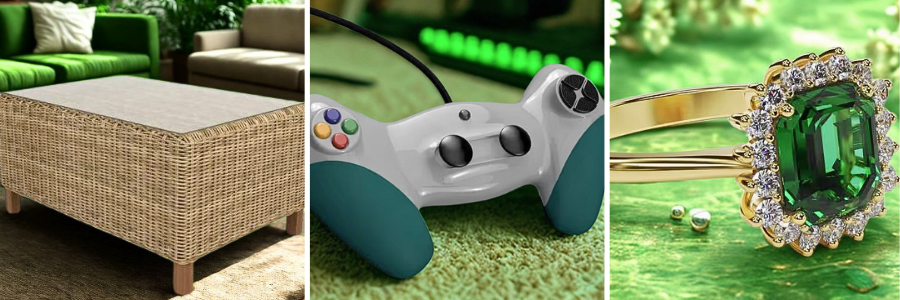
There are jewelry companies that use 3D product configurators to help clients customize rings, necklaces, and maybe diamonds, but we’re especially focusing on the wristwatches category this time. Companies like Bamford and Undone are at the forefront of prioritizing wristwatch personalization, before you even make the purchase. As expected, you get to customize most (not all) parts like the dial, hands, straps, caseback, and so forth. Although they don’t allow you to choose the movement (the mechanism inside the watch), the personalization should be good enough for most buyers.
RELATED: Top 37 Sites to Hire 3D Freelance Jewelry Rendering Designers, 3D Artists & CAD Modeling Experts
Closing thoughts
According to the Configurator Database, there were at least 1400 identifiable interactive renders used in e-commerce sites as of 2020. They’re used by some of the biggest companies in various industries from 38 different countries. The United States and Germany dominated the list with over 1,000 product configurators combined. Sounds like a big number, but it’s a mere fraction in the bigger scheme of things of e-commerce. At the same time, the data (trend) shows that a 3D product configurator is not a mere gimmick. It’s an increasingly popular tool to put more creative power into the buyers’ hands, giving them greater control over product design and ensuring memorable online shopping experiences.
And for sellers, a product configurator can only offer a competitive advantage, so long as it’s well-built and loaded with high-quality 3D visualizations. Cad Crowd has been around for more than 15 years, providing a wide range of 3D visualization services for companies of all sizes, from startups and small businesses to established brands. We have experienced professionals to help you build a robust 3D product configurator with photorealistic rendering services, responsive features, an intuitive user interface in the front end, and an easy-to-use management dashboard on the back end.
How Cad Crowd can help
Whether you’re launching a custom furniture configurator, an automotive product selector, or an interactive e-commerce experience, Cad Crowd provides access to vetted professionals with expertise in 3D modeling, CGI, CAD design, and interactive visualization. Our global network helps businesses build responsive product configurators with realistic renderings, intuitive user interfaces, and seamless integration, making it easier for customers to personalize products and purchase with confidence. Contact Cad Crowd today for a free quote and take the next step toward a successful product launch.



