
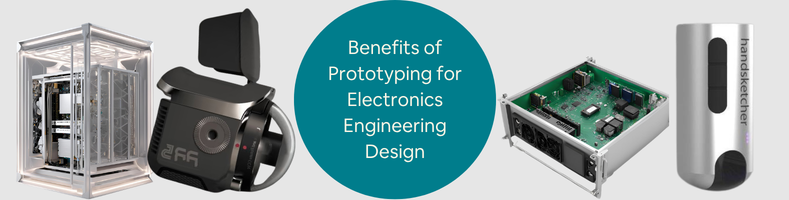
Today’s post explores the benefits of prototyping for electronics engineering design to improve new PcB hardware. In every hardware electronic development, the prototyping phase always comes early in the process because it really is that important. It doesn’t really matter if you’re planning to develop a complete device or just the PCB; you have to build a physical prototype right after finalizing the concept. The first form of physical prototype is typically known as Proof of Concept (PoC). The main purpose of a PoC, as the name suggests, is to prove that the design can indeed provide solutions to problems in the way you expect it to do.
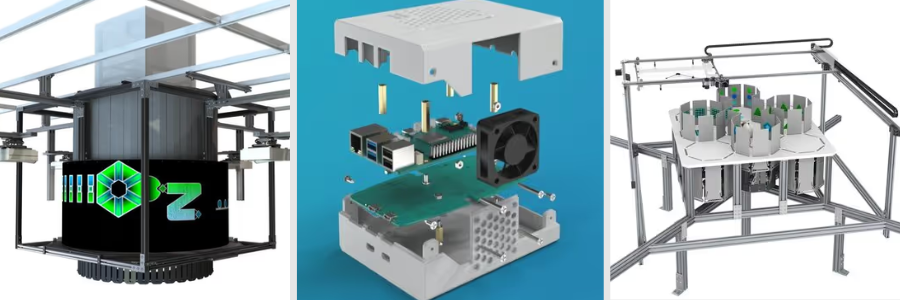
Because this is an early prototype, you’re allowed to build it using off-the-shelf parts and components. Development kits like Raspberry Pi or Arduino are more than capable of getting you through this phase. PoC prototypes, in most cases, are not meant for mass production because the cost is too high and the design is just too ugly to attract buyers. From this point on, the prototype undergoes an iterative process to improve its appearance and functionality. Easier said than done, of course.
All the work that such a project entails can easily overwhelm anybody, unless they get the right help from the right electronics design professionals, and that’s where Cad Crowd comes in. It’s a specialized freelancing platform with thousands of hardware development experts from around the world. Whether you need electrical/electronics engineers or industrial designers, Cad Crowd has the specialists to connect you for any hardware development project.
Why Prototype at all?
On the surface, prototyping may appear to be a simple task of creating a product sample. Dig deeper, and you’ll be glad to discover the myriad of benefits it offers for improving the PCB design.
Schematics do sometimes lie
You’ve missed dinner and worked overtime to get every line on the PCB schematic as close to perfection as possible. It eventually looks great just after midnight, and you immediately go to bed knowing that you’ve actually finished something. Specialized CAD software allows you to build a complete “virtual” PCB without even touching a single component or solder. It all happens on a computer screen, and the schematic itself does look pretty realistic. That’s why it’s commonly referred to simply as “virtual prototyping.”
The problem with virtual prototyping is that you never really know if the schematic will work as intended in the real world. What appears to be a flawless schematic from an expert schematic designer on the screen can turn into a troubleshooting nightmare once you build a physical version. Nobody expects the worst, but you should still consider that possibility. And to be frank, many things can go wrong even when the schematics look perfect. What if you’re using an incorrect pin on the USB connector? What about a mirrored footprint, incorrect voltage draw, or logic level shifter issue?
Virtual prototyping is great and all, but nothing beats having a physical PCB and testing it yourself. If nothing goes wrong, think of it as having a clear verification that the design is correct. And if things do go wrong, at least the board and the components aren’t so expensive that you lose sleep over them. Grab a multimeter and have a good hunt. The idea is to catch and fix the mistakes early on when it’s still cheap to make them. Don’t worry about botched repairs and jump connections using soldered wires and hot glue. Aesthetics is the least of your concerns at this point. You can afford some more boards and components. The important thing is you know where the mistakes are and how to do better next time.
RELATED: Top 33 Electronic Device Design Services Companies for Engineering & Product Design Firms
Datasheets can be misleading, too
We’re not saying the specification sheets from the manufacturers are wrong. It’s just that when the electronic components are already installed on the board, with all their connections and interactions, the numbers can be smaller or larger than what you see on the datasheets. Manufacturers and PCB design companies test their chips and sensors in a controlled facility, an ideal environment with minimum interference. Some portions of your project may take place in a lab-like room, but the final product (the finished device) is meant to be used in the real world, where very few things are close to ideal. Interferences come from every corner, and voltage fluctuations happen more often than you think.
Physical prototyping is where you put the specification sheet to the test. You’ll find out whether the microcontroller can stand its ground despite interruptions, or whether the amplifier gets along with the switching regulators. Many electronic components can go haywire under heavy load. The buck converter gets hotter than the numbers suggest, the capacitor delivers only half of what it needs to give, or the supposedly compatible chips develop weird timing issues if you look at it funny.
Testing a physical prototype helps reveal at least a majority of these unexpected problems. Because you’re still in the prototyping stage, no one will complain if you experiment with different parts and revise the list of components. You probably need half a dozen prototypes until you get every single detail right, but it’s still the best way to produce an accurate Bill of Materials later on.
RELATED: The Future of Electronic Design Engineering: Innovations and Trends for CAD Services Companies
Let’s not be overengineering
You’ve heard people say how old devices are better because they were overengineered to last a lifetime. It’s always a bit annoying, as the statement basically implies that modern products can never be as good because nobody cares enough to put in any real effort. How often have you come across someone pointing out “they don’t make ‘em like they used to,” as if no ancient gadget ever broke even once? No one is against overengineering. But everyone knows it’s not a very efficient way to develop electronics, especially since design engineering services are all about efficiency. People overengineered things in the past, maybe not because they wanted to, but because they lacked the right tools to do things efficiently.
Nowadays, you have CAD software, PCB simulation tools, and 3D printers, among others, to keep the work as efficient as possible. The tendency to overengineer is still very much alive today, whether you realize it or not. When designing a new PCB, it’s only common to want to use higher-priced components. You think that a $5 resistor (instead of the $0.1 alternative) will boost your confidence and somehow lower the chances of failures. There’s probably some truth to that, although it doesn’t mean that the cheaper resistor won’t work. Physical prototyping is where you’ll figure out whether the more affordable components do their jobs just as well as the more expensive counterparts.
If your plan involves creating no more than a couple of dozen devices, sure, it’s fine to use the premium parts. However, for a product to be mass-produced (5,000 units or more), even a small price difference for a single component can amount to hundreds of thousands of dollars. Assuming the cheaper resistor works just fine, there’s no need to overengineer the board and for the new product design company to spend extra money on the more expensive option. You can only confirm this with a physical prototype. If a specialized, costly “military-grade” resistor doesn’t actually make your device run noticeably better, then the standard, cheaper option should be the one you pick.
RELATED: Electronics Enclosures Design: 8 Powerful Tips for Companies and Firms Hiring Freelancers
In some cases, you can also avoid overengineering by removing excess, for example, reducing the number of capacitors, so long as it doesn’t affect performance. It’s an iterative process to reduce production cost per unit as much as possible while maintaining the board’s functions and features. Every good PCB designer needs a reasonable degree of obsession over this matter. They want to create the best design with the fewest resources, aiming to build an efficient, utterly functional design that makes good financial sense.
Do you need an enclosure?
To keep things simple, let’s assume you do. Say you’re designing a PCB hardware to build an electronic device. Like many other electronics in the market, it’s certainly not a PCB with exposed parts. The board is fitted into an enclosure to protect all working components from the elements, including occasional water splashes, drops, and general rough handling by users. More importantly, the enclosure is usually an insulator, preventing hands and fingers from coming into contact with live electrical parts. This is where electronic enclosure design services come in.
But it’s also about aesthetics. One of the main reasons big companies spend millions of dollars on their design departments is to ensure that the next products will appeal to buyers. Think about it: if you remove the back cover of two calculators from two different brands, they probably appear pretty much the same. Well, they won’t be identical, but quite similar. From the outside, however, those devices should be easily distinguishable, whether from the size and color of the buttons or the form factor. Curb appeal plays a factor in every buying decision. You want to make the enclosure as attractive as possible to draw people’s attention.
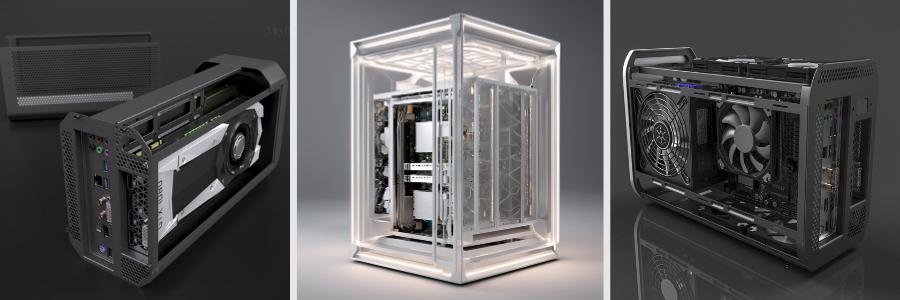
That being said, strictly from engineering viewpoints, ensuring a good fit is the priority. An enclosure doesn’t have to be fancy, but it almost definitely needs to be perfectly compatible with the PCB inside. Being “compatible” means that all the screws going through the PCB to secure it to the enclosure don’t disrupt functionality in any way, the holes line up with the hardware interfaces, and everything feels snug with zero rattling. Although the enclosure designer can, of course, design the enclosure almost entirely in CAE, the only way to be 100% sure it will fit the PCB is to physically prototype it.
RELATED: What Certifications are Used for New Electronic Hardware Products & PCB Design Services?
Given that nowadays you can even build a highly complex plastic enclosure with a 3D printer, not much can get in the way of fabrication. In the event the printed enclosure doesn’t fit perfectly, it won’t take more than a piece of sandpaper and a file to make corrections. Perhaps a capacitor is blocking the lid mechanism, the power switch feels too stiff because the hole is misaligned, the screen slot is too wide, or the ventilation is too small to dissipate heat quickly. Remember, you’re still in an early prototyping phase at this point, so having some rough edges here and there isn’t a big deal. You can’t tinker with the digital file, print it again, and repeat until you discover zero issues.
Hot spots are not cool
When an item gets too hot, you usually pour cold water to bring the temperature down quickly. The problem with electronics and basically all things with a working PCB in them, is that they don’t like heat and hate getting drenched even more. Heat has never been on speaking terms with electronics since forever. High temperature always lurks around the corner, but electronics always try to keep it as far away as possible. Sometimes, actually more often than you think, the electronics have to succumb, accept their fate, throttle, fail, and in the worst-case scenario, literally melt.
Not every square millimeter or component on a PCB generates the same amount of heat. Physical prototype design engineering services allow you to easily identify any hot spots by putting the board under a thermal camera. This, of course, necessitates the board to fully function in the first place. Switch it on, and begin testing every single feature you have. At some point, you have to run the board at full load to see which parts generate the most heat. Just a reminder, hot spots are nothing unusual in electronic devices. If you see all your devices at home through a thermal camera, you’d be surprised to witness the presence of glowing red entities everywhere.
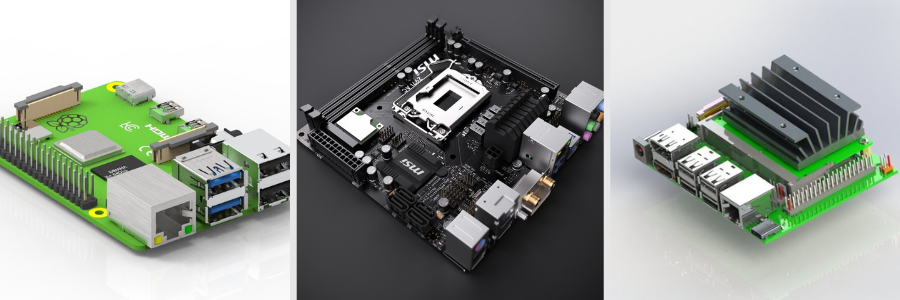
Heat is normal as long as the temperature remains within the device’s safe limit. For instance, a laptop’s CPU can operate happily at 90 °C during intensive tasks like 3D rendering or heavy multitasking. The good thing is that advanced devices, such as computer processors and motherboards, include safety measures to maintain a healthy operating state. Think of it as a “kill switch” of some sort. It will reduce the workload, so it won’t break itself. It’s going to run a little slow, but at least it stays cool.
RELATED: How to Find an Electronic Design Company for Outsourcing New Product Engineering
Your PCB may not have a similar kill switch, but knowing where the hot spots are can at least give a clue about how to minimize the issue. Perhaps you can use a passive heat sink, a thermal pad, larger ventilation holes in the enclosure, or, in extreme cases, redesign the entire board. From a PCB designer’s perspective, a complete redesign seems daunting, though not unlikely, especially when the hot spots are all over the place, and the temperatures are so high that using the device is uncomfortable. For instance, the PCB is intended for a handheld device such as a smartphone or a satnav. Imagine having to hold a device that’s constantly burning at 50° Celsius. Gloves might help, but do you know how unpleasant it is to operate a small device with them?
Electricity is money
We won’t try to make the case for how cheap electricity can be if not for data centers, tariffs, inflation, and all that. We’re just going to admit: yes, electricity is getting more expensive. But why bring this up at all? PCB and electronics do consume electricity. You might argue that some PCBs need no electricity, such as those in computers and tablets in a car, and you’d be very wrong. They do consume electricity, produced by the fuel. Also, every modern car has a battery, and just about everything in it is an electronic device with a circuit board. Even the cars themselves are literally called electric vehicles.
Because electronic devices require electricity to operate, the PCB must manage power consumption. It regulates the input, stops recharging when the battery reaches full capacity, delivers the power to the components, and puts some functions to sleep as soon as it’s safe to do so. If the PCB is for a device with a battery, power consumption (how efficient it is) can be the feature that makes or breaks the product. Say the PCB assembly designer’s new device is a smartwatch with basic features like an always-on display, Bluetooth connectivity to a smartphone, and a vibration alarm.
This new shiny device is supposed to last five days (120 hours) on a single charge. But when a user finds out it dies after just 12 hours, that person becomes an angry customer with the power of all of Facebook and Twitter to tell everyone to stay away from your product. Virtual simulation offers a workaround for monitoring power consumption without a physical prototype. As good as simulations are, they’re not exactly the best option when you need to predict “current leakages” coming from chips or resistors that decide to just go stubborn and refuse to sleep, which they’re supposed to, as soon as they stop doing anything. To detect and see this in real time, you can connect a physical prototype to a power profiler.
RELATED: Top 32 Sites for Freelance PCB Designer Jobs & Remote Electronics Engineer Work Projects
This way, you’ll be able to identify instances of phantom drain or precisely how many milliamps the board is using in different scenarios. Perhaps the unnecessary drain comes from the Bluetooth radio staying on longer than it needs to, Wi-Fi keeping search for new networks after establishing a connection, GPS running in the background, etc. High temperatures also affect battery life. And voltage drop is an annoyance each time the battery almost runs out of juice. In many cases involving power draw, the underlying problem may be the firmware rather than the hardware, which is important to remember with electronics design services. Tweaking the code and better heat management can help optimize battery life. All this data is also useful to create an accurate battery indicator for end users.
Firmware trial
In an ideal PCB development process, the hardware is ready just about the same time as the firmware is. But because “ideal” almost never happens, the firmware developers often have to wait until the engineers send the board for a test run. It only makes sense to develop at least the early versions of drivers using a prototype. Instead of sitting around and endlessly browsing GitHub while waiting for the perfect board, testing the firmware on a prototype would be a better use of time. An ugly PCB prototype with janky solder joints and jumpers is more than good enough to get firmware development started.
Guaranteed, it won’t be a pleasant experience writing code for hardware that you know is still going through multiple changes in the near future. The idea here is to cover the basics first, such as power management, sensor communication, and the user interface. Developers will find bugs and issues in so many places, and that’s exactly the point. Perhaps the way the PCB is wired makes it impossible to implement energy-saving sleep mode, or certain components don’t support high-speed communication. And in every product development, discovering problems on a prototype is much less worrying than bumping into issues on the final version.
Parallel development isn’t always easy, and sometimes downright impossible without effective project management. There needs to be an intermediary (DevOps or the like) to bridge communication between hardware and firmware teams. When done properly, however, it’s a huge time-saver. Every physical prototype iteration must be tested for firmware. For every step forward in the hardware department, the firmware refinement keeps pace closely behind. As the hardware reaches the final stage, the software should be around 90% complete.
RELATED: Cost to Design a New Electronic Product, Develop PCB Hardware & Prototype Rates at Firms
Get the investors ready to spend
Remember about prototyping being an iterative process? As development nears the end of that process, the hardware should be functional. A functional prototype is almost like a production version, except that it has not been perfected for mass production. That being said, there won’t be any major differences between the two versions, especially if the development follows DFM (Design for Manufacturing) services. A functional prototype is the version to showcase when you’re presenting the product to investors. Will this improve the hardware?
Not in the strictest sense of the word. But you’ll get accurate feedback from all those stakeholders. Feedback, you can then analyze and implement to get the design more in line with their expectations. Because stakeholders aren’t usually professional engineers, much of the feedback will most likely concern practical matters such as aesthetics, ease of use, water resistance, durability, and so forth. Although you’ve probably already thought about all that during the development process, all kinds of feedback are always welcome.
FCC test practice run
Just about everything with a PCB inside needs to pass the FCC test before you can send it to market. FCC wants to ensure the device doesn’t emit excessive RF noise that could interfere with other communication devices. The whole procedure is expensive and potentially takes forever. Any prototype designer in their right mind will not send a product for certification testing unless they’re 100% certain it won’t fail. You can improve your chances of getting certified by first sending the device, either bare electronics or with its enclosure, to an independent lab for a preliminary test. It still costs money, but at least you don’t have to wait months for the result.
Assuming the test discovers problems, fix them and send it for a second test. Consider the prototype a practice run to prepare you for the official certification procedure. The FCC test mostly concerns the electrical components, but the certification applies to the product as a whole. In other words, you need to get the finished device (PCB and enclosure, along with accessories such as a charging adapter if you plan to include it in the box) certified. A lot of people on the internet like to talk about the importance of DFM services when developing a product, but equally crucial is to build the device with certification in mind.
RELATED: 10 Key Costs for Electronic Product Design & Development Rates for Engineering Services Companies
It’s good to have the design made for mass production, and even better when it’s also built to pass the FCC test. Thankfully, you can do both simultaneously. The general recommendation is to apply for the certification as late as possible, maybe while setting up the manufacturing. Only certify the product when you’re sure there won’t be any further design changes.
Closing thoughts
Hardware development is difficult. It takes real engineering expertise to build a custom PCB from scratch and design a brand-new enclosure. One good programmer can probably create entirely new software, but hardware development is a different beast. Not only do you need electrical and electronic engineering skills, but also firmware know-how. Realistically, a hardware development team includes at least one of the following: an electronics engineer, an industrial designer, or a firmware programmer. Much of what they do, as mentioned earlier, is to build multiple iterations of a physical prototype based on the PoC.
How Cad Crowd can assist
At the end of the development process, you expect the prototype designer to deliver a fully functional PCB (preferably with an enclosure) ready for mass production. Finding the right professionals for some highly specific task doesn’t have to be a struggle. Cad Crowd, with more than 15 years of experience in the industry, can take you to the center of a massive engineering and design hub, where you can collaborate with some of the most qualified hardware development experts. Contact us for a quote today!



