
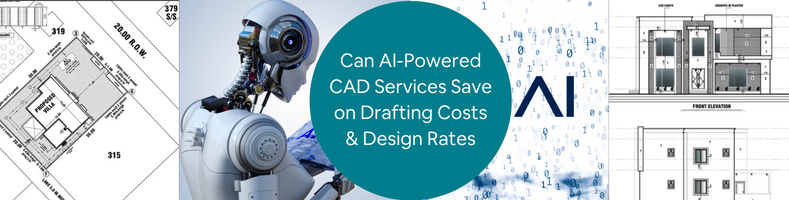
Design teams in 2026 are experiencing more pressure as they are asked to deliver more CAD services work within lesser time, while managing increasing operational costs. As the rates continue to rise, companies develop smarter ways just to stay competitive in the market. Artificial Intelligence (AI) has become a quick answer to improve and optimize drafting services. This article explores key areas where AI helps firms in improving efficiency while reducing costs. If this aligns with your vision, Cad Crowd connects your firm with vetted freelancers who are experts with AI-powered tools.
Key AI-CAD impact stats at a glance
| Metric | Result | Source |
|---|---|---|
| GM seat bracket: parts consolidated | 8 parts → 1 parts | GM / Autodesk |
| GM seat bracket: weight reduction | 40% lighter | GM / Autodesk |
| GM seat bracket: strength increase | 20% stronger | GM / Autodesk |
| Airbus A320 interior partition weight savings | 45% reduction | Autodesk |
| Go-kart steering wheel mass reduction | 60% reduction | ScienceDirect 2025 |
| Gear wheel mass reduction (academic study) | 37–46% reduction | MDPI / PMC |
| Drafting speed improvement | 3x faster | Monograph |
| Design cycle compression | Up to 60% faster | Shalin Designs |
| DFM error reduction before manufacturing | ~34% fewer errors | Industry data |
| Architectural firm efficiency gains | 25–30% | Industry benchmark |
| Employee preference for automation | 88% in favor | Monograph |
| McKinsey R&D productivity potential from AI | 10–15% of R&D costs | McKinsey |
Why CAD costs are under pressure in 2026
Engineering design firms and design in-house have become costlier than it used to be. There are a lot of things to manage with such as software subscriptions, operating costs, and employee wages – all these while dealing with an even tighter deadline and client expectations. To keep up with all of these challenges, businesses turn to AI-powered tools and outsource freelancers who can use them. This significantly helps them to reduce costs while being efficient.
RELATED: Pros & Cons of AI for 3D Modeling Services and Your Cost Savings at Companies in 2026
There are four major pressure points that lead companies to using AI-Powered CAD Services:
- Rising labor costs in high-cost markets
In the United States, Canada and Australia, the demand for an increase in salary wages for CAD services is high. It has now turned above $80,000 per year. Not only that, benefits, overhead and workspace costs makes it even more pressing for the companies. This makes them shift to smarter and efficient alternatives. With AI tools and CAD professional freelancers combined, project costs are significantly lowered by 30-50% without compromising the quality of work. This is why companies tend to outsource professionals more nowadays to prioritize cost-effective options in delivering tasks.
- Software license inflation
It is sometimes overlooked how subscription licenses incur costs over time. While it is indeed a useful investment for the company, especially if the CAD work is long-term, a full Autodesk Fusion with other feature extensions just costs thousands of dollars yearly. It wouldn’t hurt that much if only for one, but more than one license is needed in a full team and this makes a significant impact with the budget line. In outsourcing Cad Crowd 3D design freelancers, this problem can be resolved. Freelancers have their own devices and tools, as well as subscriptions needed for the tasks. There would be no need to finance the software license needed since freelancers absorb the tool costs.
- Shrinking project deadlines
In 2026, the expectations in delivering tasks are more challenging. Clients expect quicker turnaround time and push tighter deadlines. Some companies find it hard to squeeze in more workload to their employees, so they’d need more staff. Another in-house employee would add more costs to the budget. AI changes this by significantly cutting delivery duration from weeks to just days. AI-powered drafting tools make it possible to complete a full drawing set in a couple of days instead of manually drafting. With it, speed would no longer be a problem. Instead, it is now a competitive edge for companies who take advantage of AI.
- The hidden ccost of in-house rework
Design errors found during construction or manufacturing cost way more than the error fixed during design stage. In-house CAD drafting and design teams tend to rely on manual checking and review to identify possible clashes, conflicts or material mismatches. Human judgment is relative and could sometimes fail to deliver accurate error identification. This is why AI-powered design tools are reviewed to have a more reliable option. It automatically flags issues in real-time. Its accuracy and speedy identification make it a more efficient approach, making rework less possible.
RELATED: The Impact of AI on 3D Architectural Rendering Services for Companies and Firms
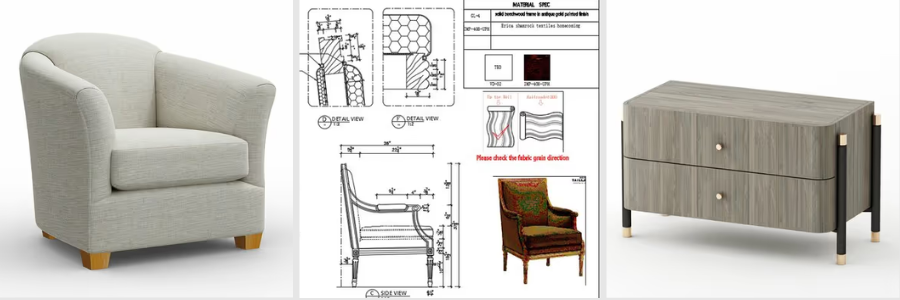
Three categories of AI cost reduction
Category 1: Direct labor savings
AI automation makes a huge impact in reducing the time needed to complete a set of drawings, make a 3D model or documentation. This is a game changer in the design and planning stage. It pushes the team to spend less time on tedious, menial tasks and focus on other prioritized processes.
- Drafting automation
There are drafting tasks that are considered menial and repetitive. It includes placing dimensions, adding title block information, and doing layouts for the drawings. Instead of manually doing all this, AI could take over and automate it. In AutoCAD 2026, it is possible to incorporate AI-driven predictive intelligence and smart block replacement. Using these tools doesn’t mean there’s a need for 2D & 3D drafters. AI does not replace drafters. It just takes tasks that can be simplified and automated for it to not take so much time. It efficiently eliminates processes that slow down a project and enhances quick delivery without compromising quality.
- Text-to-CAD tools
AI tools like Zoo and AdamCAD allow designers to convert simple texts to 3D models. Here, a plain text language describing the geometry can be converted into a parametric 3D model. It has significantly helped in compressing the timeline in producing models. While it is a useful and promising tool, there are still limitations in using these types of tools. it can’t fully replace 3D modelers when it comes to complex designs. But it can be used for simple and standard components, fixings or housings. It allows the designers to explore more ideas creatively and innovatively.
- AI copilots inside CAD software
With the introduction of AI copilots, CAD software is becoming more reliable and intelligent. SOLIDWORKS developed AI companions such as LEO (for design support) and MARIE (for manufacturing support). Meanwhile, PTC introduced AI-powered agents to help in automating workflows. AI copilots help in assisting with repetitive tasks instead of manually adjusting everything. Since modern CAD now has an advanced understanding of the workflow and design system, it is easier to automate the design. When there’s a design change on part, AI understands and updates the whole design model. There would be no need to manually correct, making it efficient and consistent.
- Automated 2D drawing generation
One of the most tedious and time-consuming processes is turning the 3D model into a complete set of 2D plans. The extraction of the drawings is one thing. There’s still the need to create multiple blocks, add dimensions, insert and apply GD&T annotations and notes. Any standards and format have to be applied manually in every drawing set. It’s detailed that it will take more time even for small-scale projects. With AI automation, it is possible to manage this inside an advanced CAD system. There would be no need to build everything from scratch. The software can just automatically generate consistent views, annotations and organize the layouts based on design intent.
RELATED: Will AI Replace 3D Artists in 2026? Expert Insights for ArchViz & Architects
- AI layer management
In traditional drafting, managing layers could be quite a struggle for designers. Since the design comprises different elements and disciplines, it has to be placed in the correct layer. For instance, separate layers are done for architectural layout, structural components and electrical lines. It is important that the layers are organized and managed correctly so it would be easier to edit and coordinate with other people. 2026 AutoCAD drafting & design services recognize the geometry and what layer it should be assigned to. It can identify whether it is structural or architectural based on contexts and design patterns. This detection is useful in clash detection, helping in reducing error fixes on site.
- Natural-language design input
A natural-language interface is one of the most noticeable shifts in modern drafting. It allows the designers to use simple and relatable language as instructions and the software can understand it. A simple “make this wall 150mm thicker” would be enough for the software to execute and adjust the design accordingly. It is beneficial for both experienced and starting drafters. It makes it easy for beginners to explore and command based on their understanding, while experienced drafters benefit from the speedy routine edits. This AI feature reduces time spent on every task of the design workflow.
AI Drafting tool comparison
| Tool / Feature | Platform | Primary Benefit |
|---|---|---|
| Predictive design intelligence | AutoCAD 2026 | Anticipates next design step |
| Smart block replacement | AutoCAD 2026 | Auto-suggests correct blocks |
| AI layer management | AutoCAD 2026 | Auto-categorizes geometry |
| Natural-language input | AutoCAD 2026 | Edit models by text or voice |
| LEO AI companion | SOLIDWORKS 2026 | Real-time design guidance |
| MARIE manufacturing guide | SOLIDWORKS 2026 | Live manufacturability feedback |
| AI design agents | PTC Creo 2026 | Automates multi-step workflows |
| Text-to-CAD (Zoo / AdamCAD) | Cloud-native | Concept to model in minutes |
| Scan-to-parametric-CAD | Backflip AI | Legacy part reconstruction |
Category 2: Material and manufacturing savings (generative design)
Generative AI is not limited to helping the 3D product design team to automate repetitive tasks. It can proactively help in creating optimized and efficient design. Engineers and designers can input their material and manufacturing preferences and I can generate options.
RELATED: How AI Trends Influence New Product Design and Development Companies
- What is generative design?
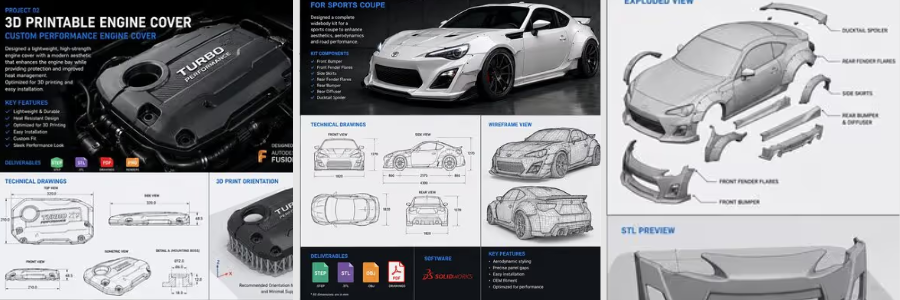
Generative design is one of the AI-powered optimization approaches. This wherein the designer can type in their certain constraints or parameters, for instance, load computations, materials, limits, and the tool will generate several design options. Every solution is optimized and meets the standards and preferences as specified, while keeping cost at minimum. The speedy process and counterintuitive results are something that aren’t achieved much when done manually. This is why generative AI is considered a powerful tool that goes beyond conventional designs.
- The GM seat bracket: a benchmark case study
One of the most remarkable case studies that prove how powerful generative AI is the collaboration between General Motors and Autodesk. The project is focused on redesigning a vehicle seat bracket, wherein it originally has 8 separate parts. AI generated a design option that consolidated everything into one. It did not only reduced the number of assembly steps but also made it 40% lighter and 20% stronger than the original design. This study has become a benchmark example of how AI can explore options that are beyond the traditional methods. Its exemplary result introduced entirely new structural possibilities, without compromising engineering quality and standards. It proves how AI is not just for speed but for improved design.
- Airbus A320 interior partitions: 45% weight reduction
In aerospace engineering services, small weight reductions would directly affect long-term savings. Airbus used generative AI to redesign their Airbus A320 interior walls and made it lighter without compromising safety and strength. The AI design optimization results made it possible for the new partition design to be 45% lighter than the original. This example highlights how valuable the AI’s contributions are in the industry. Material efficiency matters as it impacts long-term operational costs. AI can create designs that does only maximize savings but also maintains its strength.
- Academic validation: gear wheel mass reduction
Academic research has also proved effectiveness of generative design in delivering real-world savings. In a peer-reviewed study published through MDPI and PubMed Central, generative AI was used to produce optimized design that achieves weight reduction ranging from 37.46% to 45.68%. This is done through additive manufacturing, CNC machining, and casting.This academic study is relevant as it comes independently, removing vendor bias. It adds value and credibility to the increasing utilization and incorporation of AI in manufacturing.
- Go-Kart steering wheel: 60% mass reduction
A 2025-published study in ScienceDirect documented how generative AI design can optimize the go-kart steering wheel’s structure. Their aim was to use AI-driven software to create and produce a lighter version, without sacrificing mechanical and safety standards. In the study, it is proven through physical testing and validation that the redesigned steering wheel achieved 60% reduction in weight. The study highlighted how generative AI design helped in reducing material usage without affecting its performance. It develops designs that are not only cost-effective but more efficient.
RELATED: How AI Innovations Transform Modern Consumer Product Design at Agencies & Companies
- Topology optimization
Topology optimization is an engineering technique wherein a material is removed in areas that are non-critical and does not have an effect on its performance. An AI-assisted software can analyze and determine how loads move inside the components and show which materials can be removed. The goal is to minimize material usage without affecting functionality and safety. This is most applied to industrial 3D printing services or additive manufacturing, especially for metal parts. The final look of the parts may look unconventional and complex but feels more lightweight and carefully optimized to handle stress and load conditions.
- Cloud-based generative design
Running generative design could require high-duty computers and devices, since it has to be capable of handling hundreds of simulations simultaneously. That was once an issue in the past. Today, it is possible through cloud-based platforms like Autodesk Fusion powered by Amazon Web Services. Through this, there would be no need to invest on expensive workstations. The shift is more advantageous to startup companies to have access to generative design. It removes the barrier of being inaccessible and allows all businesses to make use of even advanced optimizations for their projects.
- Reducing assembly complexity
Generative AI design is incredibly useful in CAD assembly because it optimizes material usage by simplifying the assemblies. It consolidates and combines parts into smaller components. It creates a more efficient design, while maintaining the same performance and integrity. Reducing material does not only mean savings, but it also minimizes failure points. A remarkable example of this is General Motors’ seat bracket redesign. A generative Ai design reduced an eight-part assembly into a single component. It created meaningful and valuable savings, which made it a benchmark for material optimization.
Generative design case studies
| Application | Original Design | AI-Optimized Result | Key Benefit |
|---|---|---|---|
| GM seat bracket | 8 parts | 1 part | 40% lighter, 20% stronger |
| Airbus A320 partition | Conventional structure | Lattice structure | 45% weight reduction |
| Gear wheel (academic) | Standard machined gear | Optimized geometry | 37–46% mass reduction |
| Go-kart steering wheel | Conventional wheel | Topology-optimized | 60% mass reduction |
Category 3: Avoided rework costs
One of the most expensive problems in engineering and design is rework. Errors that are caught on site or manufacturing are costlier than errors detected during the design stage. AI-powered tools can resolve this problem.
- AI design review
Instead of relying on manual checking, the design and engineering team can use AI design review tools to automate the checking on models. This automated design review runs through the CAD and drawing packages to check for possible issues. This includes inconsistency, missing dimensions, GD&T mistakes or any violations in drawing standards. Checking could take a lot of time and sometimes, it’s prone to human judgment error. Using platforms such as CoLab Software speeds up checking. AI Design Review adds a layer of security and accuracy to the output.
RELATED: Generative AI Design Technology for 3D CAD: A Comprehensive Guide for Companies
- DFM analysis: 34% fewer design errors
Not all designs are successful when it comes to the manufacturing stage. Design for Manufacturability (DFM) analysis helps in determining whether a product or a model is practical to produce even before it reaches the factory. It is important to detect issues early so it would be easier to fix, when materials are not yet costly. DFM analysis tools are proven to reduce approximately 34% reductions in design errors. Automated analysis is a more consistent approach in checking. This is a game changer since it could save the project a lot of time, savings and resources.
- Automatic GD&T and standards checking
Geometric Dimensioning and Tolerancing or GD&T, requires attention to detail since it consists of heavy detailed parts, which are costly. It is critical that there should be no conflicting tolerances, missing datums or any issues to avoid expensive reworks. Some of these errors are overlooked and don’t even get noticed until manufacturing starts. AI-driven tools allow automatic review and checking GD&T definitions inside CAD drawings. It helps solve this problem by flagging even impossible tolerance slacks or any incomplete specifications in real time. This allows the designers to fix it early, improving overall quality.
- Real-time structural verification
The conventional way of checking the design’s structural integrity is to complete the design first then run a simulation. This process would often be time-consuming as it involves waiting time for finite element analysis (FEA) results in separate run batches. Doing this would slow down the process. Not only that, once an issue is found, designers would go back and make a fix and run again, repeating the whole process. AI-powered simulation can now verify the structural integrity of the model real time while 3D designers are still adjusting it. There would be less waiting time just to know its performance.
- Predictive analysis for structural weaknesses
Modern AI tools can identify potential structural issues even early in the design stage. Platforms like Neural Concept use patterns from a pool of datasets to predict where the design could fail. There would be no need to run a full simulation just to identify high-risk areas or potential failure points. This is valuable for the project during the design stage since weaknesses detected early can also be fixed early. Predictive analysis allows changes in design when materials are still cheaper, saving time and money for businesses.
- Consistency across large teams
When dealing with large-scale CAD projects, it mostly involves multiple product designers and engineering majors working on the same model. When this happens, there’s a tendency for inconsistent approaches in model naming conventions or even feature styles. Although everyone follows the same standards, there still would be slight differences which can build up and be an issue later on. AI-driven tools can resolve this problem by enforcing automatic features to make the whole design process consistent. It checks models, organizes layers and flag elements that do not match the standards or requirements. With this, there’d be no need for manual check up and instead maintain full uniformity, reducing coordination overhead.
RELATED: Artificial Intelligence & AI’s Impact on 3D Rendering Design at 3D Modeling Companies
- Lessons-learned capture
Sometimes the lessons learned in every project are retained only to the people who handled or are involved with the project. So, when that employee leaves, and there’s a need to revisit the design of the project, it would be hard to know the history. AI-assisted knowledge management systems confront this issue by automating capturing design decisions, failure reports and data, and lessons learned from all previous model projects. It helps the company store the data instead of relying on the employee experience. It is valuable data for the DFM team to prevent repeated mistakes.
- Reduced revision cycles
There’s a quiet cost incurred whenever there’s a design change or fix. Every time a design is being reviewed, sent back and re-edited, more time and labor effort is being consumed. Over time, it would build up and be expensive to take in. It does not just slow down the design process but also increases overall costs. AI-assisted quality checks save more time and money by being able to detect more issues early. There wouldn’t be a lot of back-and-forth checking and editing since it’s already detected, raised and edited on the first or second round.
Speed: the hidden cost lever
In engineering and design, time is money. Speed matters since it determines the cost implications and timeline of the project. Reducing the time it takes to design is one of the most efficient ways to minimize overall project cost. AI can speed things up especially in the design stage without compromising quality of work.
- 3x Faster drafting
AI-powered tools can increasingly improve speed in drafting. A full drawing set that was once taking 40 hours or manual labor can be done in approximately 13 hours. AI helps in automating repetitive tasks, doing layouts and putting annotations. It handles most of the menial tasks so product development designers can focus on technical decisions. Faster drafting means less manual work. It saves the company from hiring another designer to do more repetitive tasks. This way, the company can focus on hiring professionals who are knowledgeable in incorporating AI to their work smartly.
- Design cycles shrinking by 60%
It is reported that companies that utilize AI-assisted tools in their CAD workflows achieve 60% acceleration of the design process. It did not come from just one tool or one task done through AI. It is a progressive design development, assisted by AI, from design concept generation to drafting, review, documentation and revision. Each step contributes to major reduction in time. A project development that was once done in 10 weeks can be reduced to 4 weeks by incorporating AI-powered workflows. It helps the design team to move more efficiently.
RELATED: What is Generative Design and Why it’s Important for Your Company
- From hours to minutes: concept to model
AI-powered text-to-CAD and sketch-to-model tools change the game dramatically by speeding up the whole design process. Manually drafting the first 3D model is time-consuming. It could take even a day to complete the drawing sets. Modern AI-powered tools can complete and generate the set in minutes. This shift allows 3D modeling designers to concentrate on polishing ideas and evaluate design options. Designs have more time to explore instead of spending more time on repetitive tasks.
- Faster onboarding for freelancers
One of the practical perks of integrating AI-assisted CAD workflow is how easy it would be to onboard new designers into the project. Instead of allotting time for training and learning the company system, AI tools can reduce the learning curve. It guides inexperienced users by navigating through existing workflows. This makes the freelancers become more productive and solely focus on delivering their tasks. With AI, there would be reduced onboarding overhead and a more efficient and smoother collaboration.
Speed benchmarks: before vs. after AI
| Task | Conventional Timeline | AI-Assisted Timeline | Improvement |
|---|---|---|---|
| 100-sheet commercial drawing set | 4 weeks | 10 days | ~60% faster |
| Concept to first 3D model | 1–2 days | Hours | ~75% faster |
| Generative design study | Weeks (HPC required) | Hours (cloud) | Days saved |
| Full design cycle (AI adopters) | Baseline | Up to 60% shorter | Major compression |
Practical adoption paths
Incorporating AI in their CAD workflow can’t be done overnight. Most of the businesses tend to apply gradual changes then later on expand AI capabilities one at a time.
These are the most effective entry points:
- Start with AI design review
AI Design Review is easily the best entry point in AI utilization. There’s no need for new modeling tools or any overhaul in the design process. This just helps the 3D product modeling designers to detect and check the model for any potential issues or problems. It quickly catches missing dimensions or inconsistencies in the drawing. With this, it wouldn’t feel like a huge jump nor adjustment. It just simply improves the whole design process by taking care of the quality of work. It just adds in another layer of security. It is a practical step to adopting AI tools.
- Partner with firms already using AI
One practical way to make use of AI is not by changing the whole company system but to work with companies that use AI or collaborate with freelancers who operate with it. There’s no need to build a whole internal process to catch up with modern advancement. Firms would just need to simply tap into professionals who have the capabilities to do it. Doing so reduces significant overhead costs, avoiding extra costs.
RELATED: Trends Shaping the Future of Product Design for Industrial Design Services
- Pay for deliverables, not licenses
Design outputs would sometimes need a stack of software needed to complete it. Each software, multiplied by the number of designers who will contribute to the design model, is sometimes hard to justify, especially if the project is short-term. A more flexible and practical approach is to hire external CAD design professionals who already have access with the tools. There would be no need to pay for the tools being used, firms would just focus on deliverables’ rate. This is a more cost-effective approach, avoiding further costly commitment and overheads.
- The hybrid model: in-house plus outsourced
Most companies tend to do a hybrid approach since this is the safest and practical approach. This setup means having an internal design team to focus on core responsibilities and decision making, protecting intellectual property. While an external team handles the intensive and repetitive tasks. For both teams, AI can be incorporated to efficiently speed up the design processes. AI copilots accelerate the decision-making while external teams can use AI to increase the volume of tasks done in a shorter timeframe.
- Architecture and construction: 25–30% efficiency gains
AI-powered tools are reported to deliver 25-30% efficiency gains in the architecture and construction industry. AI has explored assistance when it comes to drafting, clash detection and checking. The improvements and optimization have significantly sped up project duration, minimizing cost implications.
The gains come from automated code compliance and clash detection. It has helped in avoiding site rework and improved coordination of the team.
How Cad Crowd can assist
In modern design, AI has reshaped how work can be done. It drastically compressed project timelines in a more efficient way. It adds value to the project by capturing clashes early and optimizing material and design selection. AI-powered tools do not bring speed to the market, but also a substantial impact on delivering cleaner, consistent and accurate outputs.
Adopting advanced software and tools is no longer a problem or an issue. Businesses and firms can operate in AI-integrated environments by outsourcing contributors to the project. Cad Crow’s network of vetted CAD designers can help the firms to leverage external expertise and deliver cost-efficient results. Contact us for a free quote.



