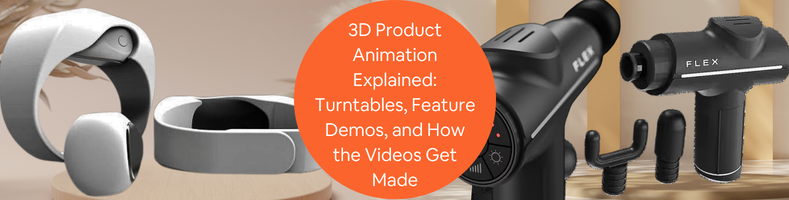
3D product animation can help you show how your product works in the real world. Since it looks realistic, it’s a great way to promote your product to your target customers. The best part is that you can reuse it for various purposes such as your ads, product pages, crowdfunding campaign, website, and other marketing materials. If you are looking for experts in 3D product animation, Cad Crowd is a great place to get started.
🚀 Table of contents
What is 3D product animation and why do brands use it?
Traditional product videos usually require a product prototype, studio, cameras, and proper lighting. 3D product animation, on the other hand, uses models that are generated with computers to make videos that showcase the design and functions of a product. With 3D product animation services, you can use the existing design or CAD files of your products to create realistic videos.
RELATED: How 3D Product Animations Boost Sales When Hiring Design Studios & Freelancers
You can also decide how you’re going to showcase the product in your video. For example, you can alter the size, colors, lighting, and angles without preparing for another shoot. There is no need to manufacture a sample or prototype of your product.
Also, since what you have is a digital version of your product, there is no need to rent a van or studio to do a video or photoshoot. If you want to highlight a certain part of your product, you can zoom in on that part only or create a slow-motion video of it. This can help you save a lot of time, money, and effort.
Types of 3D product animations
The best type of animation depends on your goal and where you’re going to use it. Here are the main types of 3D product animation that you can choose from.
RELATED: How to Use 3D Models to Promote & Market Your Company’s Great Products
360-degree turntable animations
Consider using this type of animation if you want viewers to see your product from all angles. A 360-degree animation services allow viewers to see the surface, edges, shape, and details of a product without having to see or hold it in person. This type of animation is perfect for online stores as it allows your customers to see and inspect the product through their computer, phone, or laptop.
Feature highlight animations
If you want to highlight a certain part of your product, use feature animations. It allows you to emphasize or zoom in on a certain feature, button, or material. You can use this type of animation for product pages, social media, and online ads to quickly show customers what makes your product worth buying.
Exploded view and assembly animations
With this type of animation, you can disassemble your product. This allows customers to see each part of the product and how they work together. Consider using this type of animation if you want to show the overall build quality, internal parts, and structure of a product without taking it apart.
RELATED: Product Rendering and 3D Visualization – A Full Overview
Technical cutaway animations
If you want viewers to see what your product looks like while it’s working, consider using cutaway animations. You simply need to remove the outer shell of the product to see what it looks like on the inside. For instance, you can use cutaway animations to show the location of the product’s electronic components. Cutaway animation is the perfect option if the most important features of your product are found inside.
Lifestyle context animations
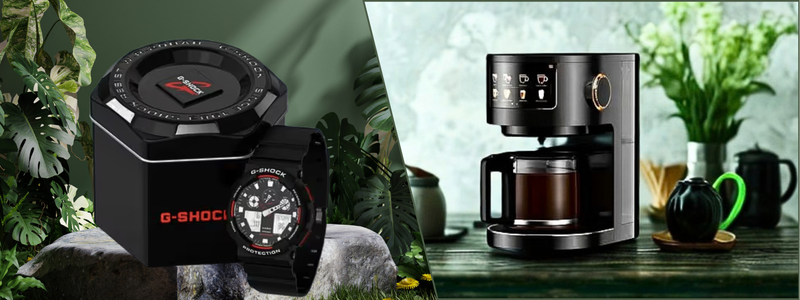
Lifestyle animations allow viewers to see what 3D product design will look like in the real world. For instance, you could show what furniture looks like in a real living room. You don’t need to travel from one place to another just to film your product in different locations. Moreover, you don’t have to rent a studio to do the video or photoshoot.
Functional and ergonomic demos
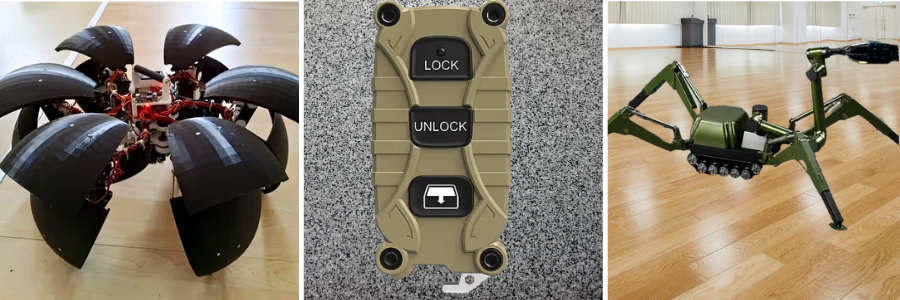
Use this type of animation if you want to show how your product works. For example, you can animate the locks, hinges, and lids of your product. That way, your customers will have an idea of the product before they actually buy it.
RELATED: What Types of 3D Rendering Services Do Product Design Pros & Industrial Design Firms Offer?
How do 3D product animations get made?
There are several steps that are involved in creating a 3D product animation. Here’s how it works;
Step 1: Preparing the CAD model
You have to clean up and prepare your existing CAD file or product design. It contains detailed information about your product, but you have to remove unnecessary details, fix areas that require adjustments, and optimize your 3D model services so that you can animate it properly.
Step 2: Adding colors, textures, and materials
You have to consider what your product will look like in the real world. For example, you can make the surface shiny, reflective, or rough. You can also choose to make the surface look like glass, rubber, brushed metal, or plastic.
Step 3: Setting up moving parts
The artist can start setting up the moving parts such as the hinges, doors, and buttons. Now, it is time for the animator to add keyframes to the video to show how these parts move. This will control how each part moves, including when it will start moving, when it will stop, and how fast it will move. If you need help in animating or preparing a 3D product model, you can visit Cad Crowd to find vetted engineers and designers who can help build and animate your models.
RELATED: Why 3D Rendering Lighting is Crucial for Flawless Product and Architectural Visualization Companies
Step 4: Adding lighting and cameras
If you want your product to look as aesthetically pleasing and realistic as possible, make sure to maximize the way you use lighting. You can do this by adjusting the softness, direction, and brightness of the lights. In addition, you can control what your viewers see by adjusting the camera angles, movements, and focus.
Step 5: Rendering the animation
You can render the animation frame only after completing the first three steps. Factors such as shadows, lighting, and reflections will be considered to create the final image. A high-quality animation such as a 4K video consumes a large amount of computing power. If you are dealing with a large project, you need to set up several computers to expedite the rendering process.
Step 6: Editing and adding sound
At this point, you can start adding text and graphics. This is also the best time to change or adjust the colors, improve how the parts move, and enhance lighting. If you want to add sound effects, now is the best time to do so. For instance, if you offer sliding doors, you can add sliding and clicking sounds to the video.
RELATED: How To Visualize Consumer Products Using 3D Rendering Services For Your Company and Firm
How to pick the ideal output format for various platforms
With 3D animation designers, you don’t need to do multiple video or photo shoots of the same product. The same video can be used to make different types of content. For example, you can turn a vertical video for your social media page into a landscape video that will be uploaded to your YouTube channel. You can also convert the same video into a short video clip for your ad campaigns.
Here are some examples of where you can use your 3D product model and the ideal file formats and aspect ratio.
| Animation Format | Where It’s Usually Used | Preferred Aspect Ratio | Ideal File Formats |
| 360 turntable | This format is ideal for e-commerce product pages. | 1:1 (Square) | For a 360-turntable video, the ideal file formats include interactive GLTF/GLB, MP4, and WebM. |
| Feature highlight | Feature highlighting is perfect for social media and digital ads. | 9:16 (Vertical) / 1:1 | For feature highlight, it’s best to save your videos in MP4 format. |
| Exploded view | For technical and investor pitching, consider using exploded view. | 16:9 (Widescreen) | Save your files in 4K MP4 or MOV (ProRes) if you are using an exploded view. |
| Technical cutaway | Do you want to make a technical cutaway video? Then, save your file in 4K MP4 or MOV. | 16:9 (Widescreen) | For technical cutaway videos, the ideal file formats include 4K MP4 and MOV. |
| AR product viewer | This format is best used for mobile spatial shopping. | Dynamic / 3D Space | If you need AR product viewers, consider saving your files in USDZ format for iOS or GLB if you have an Android device. |
Re-framing 16:9 to 9:16 vertical content
You don’t need to start from scratch if you want to create a vertical 9:16 video for TikTok or Reels. Since you already have a digital 3D screen, all you need to do is change and adjust the movement of the virtual camera and the original file’s video size. Another example is when you want to update your website with fresh content. You can convert the original file into a widescreen video. You can also convert the same content into a vertical video that you can post on your social media page.
Interactive 3D for AR
One of the biggest benefits of saving files in 3D formats like USDZ and GLB is that you can use them for augmented reality experiences and interactive 3D viewers. For instance, people can see how a product works and what it would look like in the real world before buying anything. They can do all of this using a smartphone camera.
RELATED: Mastering 3D Product Modeling: Company Techniques and Tips for Stunning Visuals
What 3D animation tools do professionals use?
The software that the 3D artist will use depends on the type of project you have and the details you want to animate. Here are the most common 3D animation tools that are used by professional 3D artists.
- Blender – This is an open-source software that can be used for modeling, rendering, and animation. You can also use it for rigging, 2D animation design services, editing videos, adding visual effects, and digital sculpting. Plus, you can access it for free.
- Houdini – This tool uses mathematical node networks to produce highly detailed effects, geometry, and simulations. It’s often used to create realistic clouds, destruction, fire, explosions, and smoke for TV, video games, and movies.
- Cinema 4D – This tool is perfect for fields requiring professional results such as advertising, architecture, and filmmaking. It’s also compatible with Adobe After Effects. Cinema 4D is flexible, fast, and easier to learn than other 3D software. It is perfect for rendering, 3D modeling, animation, motion graphics, and simulation.
- Autodesk Maya – If your product has moving parts that you want to animate, use Autodesk Maya. Its modeling and animation tools can help you create intricate visual effects and produce detailed projects. It also supports individual and collaborative workflows, so it is ideal for individual artists and teams.
- KeyShot – KeyShot can help you make photorealistic animations and product images. If you have a CAD file and you want to see what it looks like in a real-life setting, use this tool to do that.
- Adobe after effects – Use Adobe After Effects if you want to adjust something or edit your videos. You can use it to add graphics, sounds, and effects or adjust colors.
What types of products benefit most from 3D animation?
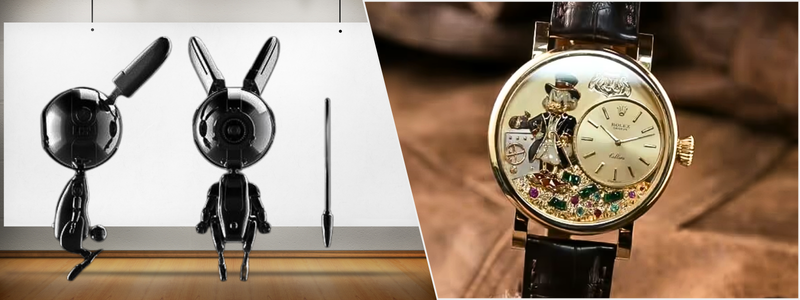
With 3D animation, you can make a video of various products such as appliances, electronics, luxury items, cars, and medical equipment. Here are the types of products that benefit most from 3D animation.
RELATED: How 3D Modeling is Beneficial in Product Manufacturing & New Product Development Services
- Smartphones and mobile devices
Close-up shots of smartphones and mobile devices can show tiny details that are not noticeable in traditional product videos. You can emphasize details like materials and screens from different angles.
- Wireless earbuds and audio gear
Audio devices can also benefit from 3D animation, as it helps show how the components of these devices work together. For instance, 3D animation can provide a clear view of the batteries and other components of these devices and how each part works.
- Smart thermostats
You can create a video of a smart thermostat to show how it looks when installed on a wall. It’s also a good way to highlight certain components such as the control dial and screen of this device.
- Air purifiers and filtration systems
With Videography 3D animation services, you can show how these devices filter dirty air. Videos also allow you to show what the naked eye could not see, like air movement.
RELATED: 3D Modeling and Design: How Companies Can Utilize it for Better Product Development
- Surgical instruments and medical tools
3D product animation can show how surgical instruments and medical tools work and how they are used during a medical procedure. You can also highlight certain parts of a tool while it’s being used.
- Power drills and drivers
If you offer power drills and drivers, you can use cutaway animations to demonstrate the internal parts of these products.
- Smart glasses and eyewear
Do you want to highlight a certain part of eyewear or smart glasses? Then, consider making rotating animations. For example, you can use this type of animation to show the lenses or hinges of the eyewear.
- Beverage cans and glass bottles
You can add bubbles, condensation, and other realistic effects to glass bottles or beverage cans to make these products look more aesthetically pleasing in ads.
RELATED: How Can Accurate 3D CAD Modeling Benefit to the Design Process of Your Firm
Frequently asked questions
- What is the main difference between 3D product animation and 3D rendering?
With 3D rendering services, you are simply creating a non-moving image of your product. 3D product animation, on the other hand, allows you to add movement and create a video of your product.
- Do I need a physical product before creating a 3D product animation?
You don’t need a physical product or prototype to create a 3D product animation. You only need to hire a freelance 3D artist to create a realistic 3D product model using your existing CAD file. That way, you can start promoting your product before the actual production starts.
- Can you use 3D product animations on your website?
Yes, you can. Simply convert your video into a format that is compatible with your website, like GLB. That way, customers can explore your product from the product page.
- How long does it take to create a standard 3D product animation?
Creating a standard 3D product animation usually takes 2-6 weeks. Different factors will affect the duration of the project, such as the complexity of the product, CAD file quality, and how many parts need to be animated.
- How much does it cost to make a 3D product animation?
The cost depends on how complex the animation will be. The length of the video will also affect the price. For instance, detailed product videos with special effects or moving parts require more work than a simple product video. Thus, creating these kinds of videos will be more expensive than the latter. Cad Crowd has cost guides that provide detailed rate breakdowns for 3D product animation.
RELATED: How 3D CAD Modeling is Transforming Design and Manufacturing Industries at Design Companies
Conclusion
3D animation can help you show your product design and how it will work in the real world without making a prototype. Since you make everything through software or digitally, you can use the same video or image multiple times across various channels like your website and social media page. Thus, you can start promoting your product right away. If you’re ready to animate your product designs, visit Cad Crowd to find expert and experienced 3D animators who can create the perfect videos for your projects.
How Cad Crowd can help
Cad Crowd connects businesses with experienced 3D artists, product designers, CAD professionals, and animators who can turn existing product models or CAD files into realistic 3D product animations. Whether you need a 360-degree product view, exploded animation, technical cutaway, feature demonstration, or functional animation, you can find professionals with the skills needed for your project. These animations can be used across product pages, social media, advertising, crowdfunding campaigns, presentations, and other marketing materials. Contact Cad Crowd today for a free quote.